The robot says
it’s done.
Our AI agents can do useful work. The part I keep working on is finding out which work they did.

The inquiry form on the screen said everything had gone well. The test record saved, and the page thanked us for reaching out. Then someone opened the receiving inbox and checked Spam. There sat the notification. We’d built a very efficient way to make a person think they’d reached us. We fixed that.
Forms are polite like that. They report that their half of the job succeeded.
An older agent session taught the same lesson. The worker displayed a completed status even though public web pages were blocked inside its environment. We gave it copies of public pages to review and checked the original sources ourselves. In another test, we saved a practice draft through an API. The useful check was reloading the local app and finding the exact draft right where we expected it. A status badge only tells you that a script finished talking to itself. Your shop runs on whether the result actually arrived where the next person needs it.
When outputs feel shaky, it’s tempting to build workflow theater. You’ve probably seen demos where six synthetic vice presidents hold a committee meeting in a terminal window while one customer estimate sits untouched. I can get pretty excited about a four-agent review chain. First I’d like to see if a five-line check can catch the bug.
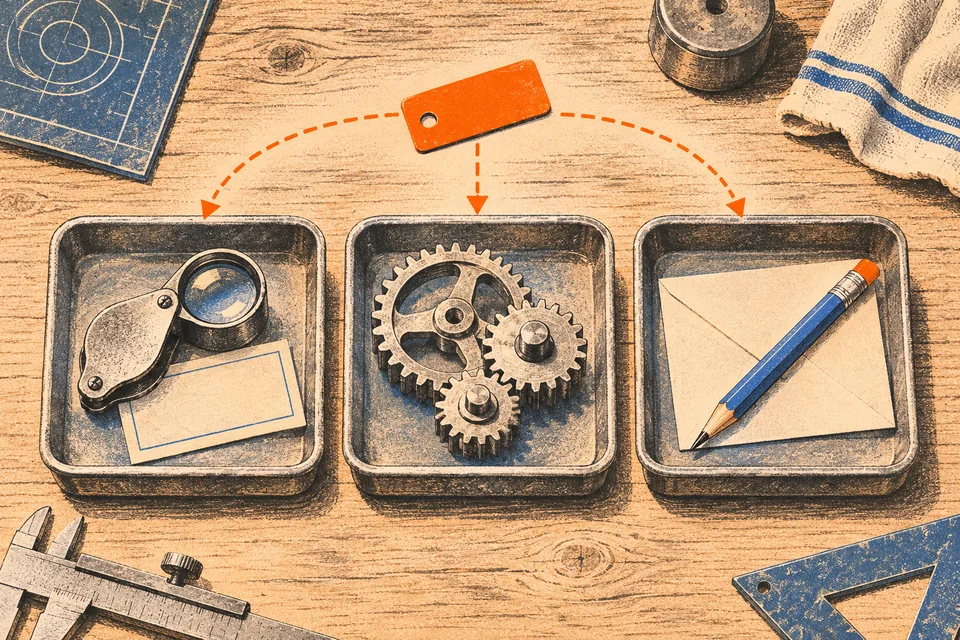
Give the agents different jobs. One can look for facts, one can make the thing, and one can try to find what’s wrong with it. Every builder and every checker needs five plain things before starting. Give each role a named input so the exact file or record is unmistakable. Define a useful output with a clear shape. Grant only the permission required for that action. Specify what to stop on when data is missing or a tool fails. Finally, check the result where it’s supposed to be.
Three prompts you can steal
You can separate doing the work from checking it with three short prompts. Try them with your own test files and accounts you’re allowed to use.
Use a builder prompt for bounded drafting or extraction.
Read only the supplied intake note and rate sheet. Produce a customer reply draft and a JSON summary using only facts in those two files. Do not write outside the draft folder. If any rate, date, or required field is missing, stop immediately and list the missing items without guessing.Follow up with an independent checker that looks at the source and the destination record.
Inspect the saved draft, the JSON summary, the original intake note and rate sheet, and the reloaded destination record. Flag any statement without direct source support, confirm whether the saved record survived a fresh reload, and pass or fail the run using only retrieved evidence.When a long thread gets tangled, move to a fresh chat with a clean restart prompt.
Open the intake note and the saved draft using the path in the handoff. Tell me what’s finished, what still needs a check, and one fact in the draft that you can trace to the intake note. Leave the files alone.Check what changed
A schedule tells you when you meant to run a job. The run history can tell you when it started. Verified delivery means the intended update landed cleanly and the surrounding work survived.
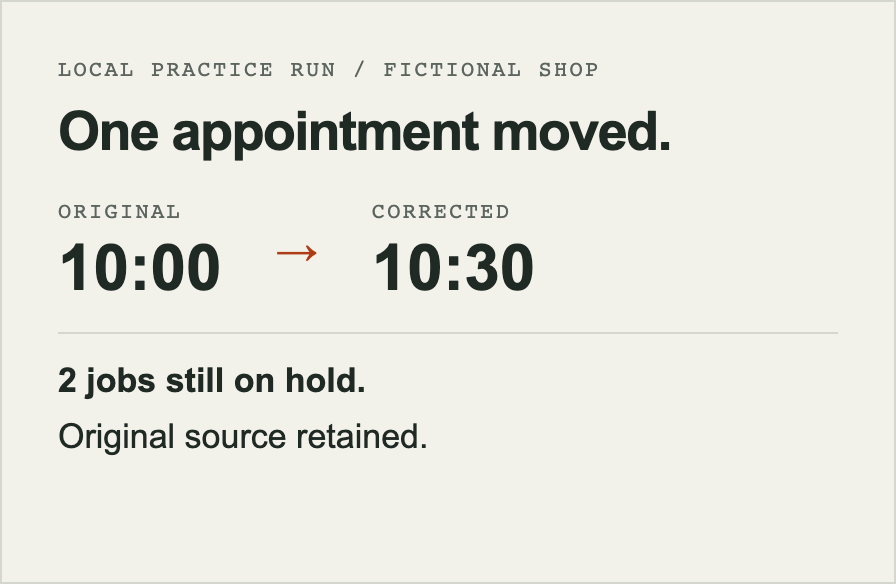
Consider a fictional two-crew repair schedule on a busy morning. A correction arrives moving one job from 10:00 to 10:30. A careless script overwrites cells blindly. In our practice run, we checked the active slot moved to 10:30 and the original 10:00 record stayed findable. Two jobs stayed on hold. One had a scheduling conflict and the other was missing a required detail. When the same correction arrived a second time in the test, nothing changed.
Restraint matters in prose too. In an editorial exercise, a draft told a very good story about a radiator valve the reader had never mentioned. Another pair gave the reviewer a pleasant reply that mostly repeated the post, or the option to leave it alone. Leaving it alone won that round. BoomScrolling gives people a place to edit or pass on a draft. A real customer job on hold needs an owner and a next step. The world can occasionally get by without my thoughts on a drawer organizer.
Matching the tool to the mess
Use a regular test wherever code can check a rule directly. Does the file open? Did the number change? Does the new draft survive a reload? Use a smaller, fast model for bounded extraction or routine checks, like reading dates out of supplied notes. Save a deeper model for genuine ambiguity or diagnosing a failed check.
You can run these patterns with Gemini in Antigravity, Codex, or Claude. Each environment differs in how it handles workspaces and running commands. Pick one that can open the files and run the checks your job needs. A separate session can check the original evidence without reading the builder’s conclusion first. If another provider brings something useful, give it the smallest set of files and permissions it needs.
When a workflow proves its value often enough to automate directly, an API can give your software a predictable way to send inputs and get a result. It needs its own authentication, billing, and checks for malformed results or retries. A chat subscription and an API account can have separate billing. Give parallel workers one shared spending limit and keep the same readback check. Passing an office test tells you what happened in the office test. Watching a person use it is a different afternoon.
A first task for Monday morning
Pick one routine handoff where your software currently claims success, whether that’s a website inquiry form, a quote draft, or a morning dispatch update. Write down the named input, when to stop, and one independent check you can do by opening the saved result or checking the inbox. Change one fact, start a fresh chat in the same folder, and see what it keeps.
Try a worked example of saving, correcting, and reopening a job, or use the free Agent Setup Kit to set up your own. If you’re building a connection into your own software, Your Agent, Our Software shows why we separated access from the work itself. And the next time a cheerful banner tells you the job is finished, take five seconds to check the Spam folder.