Your agent is smart.
It just doesn’t know you yet.
Teach your agent your business once, check what it learned, finish one real job and set it up to do that job again. That’s the Fort Rock Agent Setup Kit, for $20.
Published · Updated
Ask a brand-new AI agent to write your next event announcement and it’ll do it in about four seconds. It will be confident. It will be nicely formatted. And it might have your studio open on the wrong night, at an address it guessed, with a reply-to email that goes nowhere.
That isn’t the agent being dumb. It’s the agent being new. It’s like hiring someone brilliant and never telling them where the building is.
So most people re-explain their business every chat. Paste the same paragraph. Fix the same misspelled name. Start over tomorrow. That’s Groundhog Day with a keyboard, and it’s the part of AI nobody puts in the demo video.

Teach it once.
Then put it to work.
The Fort Rock Agent Setup Kit is a $20 self-guided kit for people who already have ChatGPT and want an agent that actually helps run their business. You teach the agent your business one time, check what it learned, finish one real job and set it up to do that job again.
The work happens in Codex, inside your own ChatGPT desktop app, in a business folder you own. Fort Rock doesn’t sit in the middle running anything. It’s your agent, your folder, your account.
It also isn’t a prompt pack. Prompts are like fortune cookies: fun for a second, then you’re looking for the next one. This is a method. When you’re done you have a workspace your agent can come back to, facts you checked yourself and instructions you can edit when your business changes.
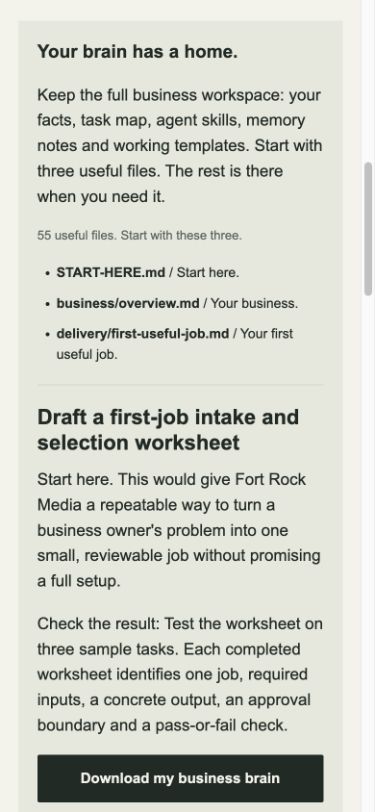
What’s in the box.
- A setup guide with messages you can copy and paste, plus recovery steps for when something goes sideways.
- A business workspace that holds your checked facts, where they came from and instructions the agent reuses every time.
- A first-job recipe with sources, the output you should expect and a check so you know it worked.
- Fresh-session instructions for coming back tomorrow and picking up where you left off, and for correcting a fact once instead of forever.
- A recurring-job handoff with activation and review checks, so a repeat task doesn’t quietly drift.
- A kit AI helper for questions along the way. It runs on a shared allowance, so now and then it may be temporarily unavailable.
- Future guide updates. Sign back in and the hosted guide has the latest version.
One payment. No subscription, no auto-renewal.
Four steps.
One finished job.
- Teach it your business. Give it your website and your notes. Then check what it learned before anything gets saved. This is the step everybody skips, and it’s the whole game.
- Give the work a home. Pick one job and download a workspace for it. Open START-HERE.md in Codex and the agent knows where it is.
- Finish something useful. Produce one bounded draft, check it, then open a fresh session and keep going. If the agent remembers what matters in a brand-new chat, the setup worked.
- Give it a regular job. Prepare a schedule in your own supported app and check the first delivery before you trust the second.
You can try a free local daily business brief before you buy. Use your own selected notes, check the result and leave missing facts as questions.
Is it for you?
It’s a good fit if you have ChatGPT, you run something real (a studio, a shop, a trade, a practice) and you’re tired of being your agent’s full-time memory.
What you need: a Mac or Windows computer, ChatGPT desktop with access to Codex on your own eligible account, and permission to create a business folder on that computer.
What it isn’t:
- Not a hosted service. Your agent runs in your app, not on a Fort Rock server. Recurring local work needs your computer on and the app running.
- Not a migration tool. If you already have agents set up, the kit doesn’t move them over. It starts fresh in one Codex workspace.
- Not a place for sensitive files yet. Keep customer records and confidential documents out of your examples until you understand your app’s data settings.
If you’d rather have a person in the room, that’s separate: a $750 one-workflow setup or a $150 consultation.