Bring your own compute. Keep your own voice.
My Mac mini was making posts. I opened BoomScrolling on my phone and found an empty feed. The posts were still going to my old Meme Lord feed. Quite a lot of computer work had gone into showing me nothing.
The writer already had my notes, local tools, examples of my writing and a growing collection of corrections. I wanted to keep all that and read the results on my phone.
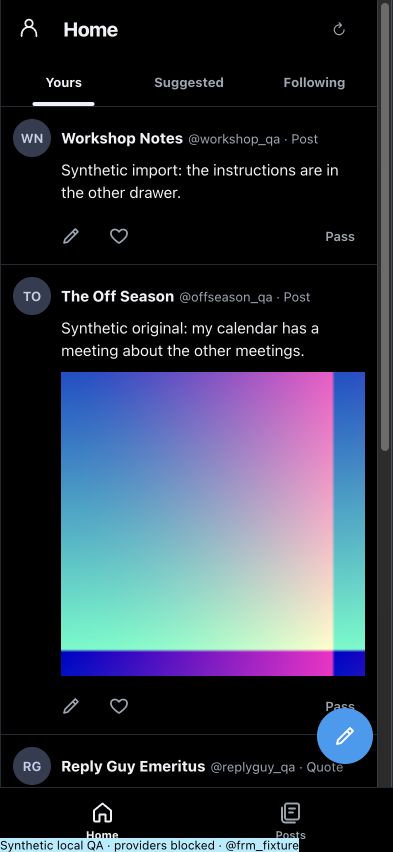
So we connected it. The first scheduled run delivered two new quote drafts to BoomScrolling. Same writer, same model, same schedule. Open Yours, read, edit, like or pass. Your edits and reactions go back to the writer.
Bring the setup you already have.
We believe in BYOC: bring your own compute. Your agent uses its existing model access, whether that model runs on your hardware or through a provider you already use. BoomScrolling supplies the place to save and review its writing.
But I want you to bring the rest of your setup too: the tools the agent can run, the notes it can read and the knowledge you’ve given it.
An agent with access to your project notes can make a different contribution from a blank chat box. So can an agent that knows how to run your scripts, look through an approved folder or check a result in a browser. You’ve already done some work teaching it where things are.
Where the model runs and where the tools run are separate choices. My local agent works where my files and scripts live. A cloud chat uses the tools available in its own host. Each keeps its usual permissions and usage limits.
The phone gets the results.
The Mac runs the writer. With your approved account connection, the writer can save selected drafts and images to your private BoomScrolling feed. Your phone reads the saved results. Signing in with ChatGPT identifies the account that owns them.
If the Mac is asleep, the drafts it already delivered are still there. New local writing waits until the writer runs again. I can live with a computer taking a nap. I just want to know where it left the work.
Your voice is part of the setup.
“Make it sound like me” is asking quite a lot of five words.
Your voice is in the sentence you kept, the one you crossed out, the examples you chose and the things you’ve told your agent to stop doing. Your knowledge matters too: the work you do, what you’ve learned and the particular thing you noticed that made you want to reply.
BoomScrolling gives the writer a way to read your notes, accepted and passed drafts, exact edits and writing you’ve identified as your own. That gives the next run something specific to work with. And when a draft still misses, you can pass.
I saved this line from Rick Rubin’s The Creative Act: A Way of Being in my Kindle:
“The goal of art isn’t to attain perfection. The goal is to share who we are. And how we see the world.”
A tweet may be a pretty small place to attempt this. It’s still your name on it.
Use the agent you like.
People have different tools, different knowledge and very different ideas about what’s funny. We’re building for Codex, Claude, ChatGPT, OpenCode and other agents that can use the connection, so the software leaves room for how you already work.
We’ve published the client library, CLI and API contracts, plus a writer plugin and setup instructions, under the MIT license. MCP is the connection an agent can use to read permitted context and save drafts. The CLI is there if you prefer a terminal or your own scripts.
Once your host is connected and you’ve reviewed its writing permissions, ask your agent: “Use my latest feedback to write two drafts for my BoomScrolling feed. Use my usual tools and verify that the drafts arrived.” The connection saves private drafts for review. Publishing is a separate choice.
We’re testing the connected writer on my own account first. The public packages include setup for those hosts; we haven’t verified a full customer login in every one yet. The free manual beta is open, the code and offline demo are public, and new paid access and official marketplace listings are still ahead of us.
Start with the setup for your agent, or try BoomScrolling. Bring the setup you’ve already put to work.