BOOMSCROLLING / THE SIMPLE VERSION
Recycling for your scroll time.
You’re going to scroll anyway. BoomScrolling gives you a draft to work on when a post leaves you with something to say.
I showed the first version to a friend. His first question was whether I was trying to sell Kirby vacuums.
Investment-grade vacuums, I told him.
His second question was the right one. He couldn’t picture what it actually does. Fair. So here’s the plain version.
The whole idea in one line.
Your likes might as well turn into posts for your own page.
You already spend the time. You already know what’s good. You like the funny one, the smart one, the one that’s wrong in an interesting way. A lot of that attention ends at the like button. Liking a post doesn’t mean you want to repeat it. It might give you something to argue with.
The free beta starts with a small prepared feed of real posts and suggested responses. It doesn’t watch your likes on X or pull in your personal Following feed. You read a post, work on a response and choose what to share.
Think recycling.
My friend put it better than I did. We recycle bottles and cans. Why not the hours we spend in a feed?
Or think of it like drinking Coca-Cola, but using it to run sprints. The habit isn’t going anywhere. Might as well point the sugar at something.
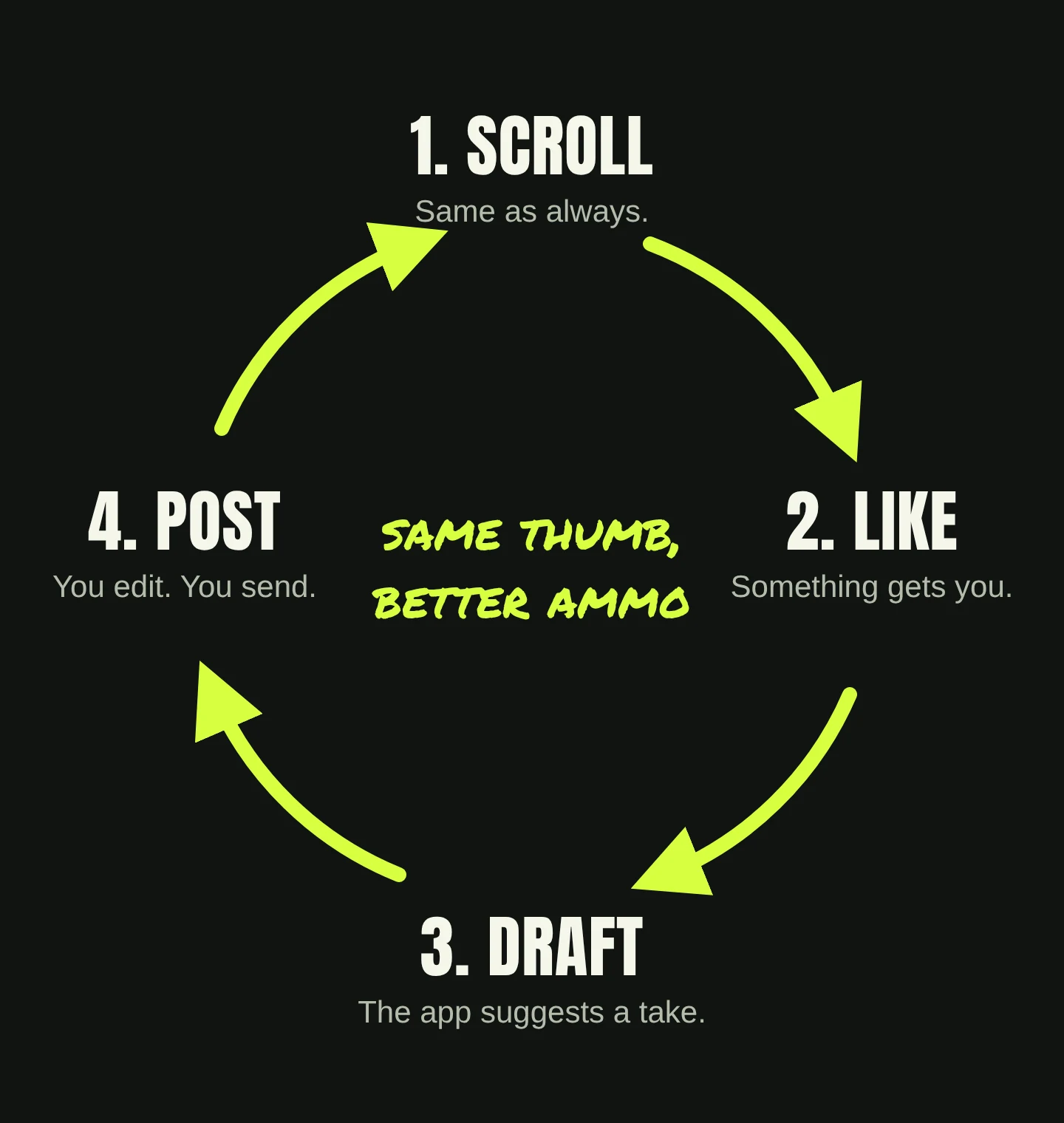
- Scroll. Browse the starter feed.
- Like something. Find a post that gets you. You don’t have to agree with it.
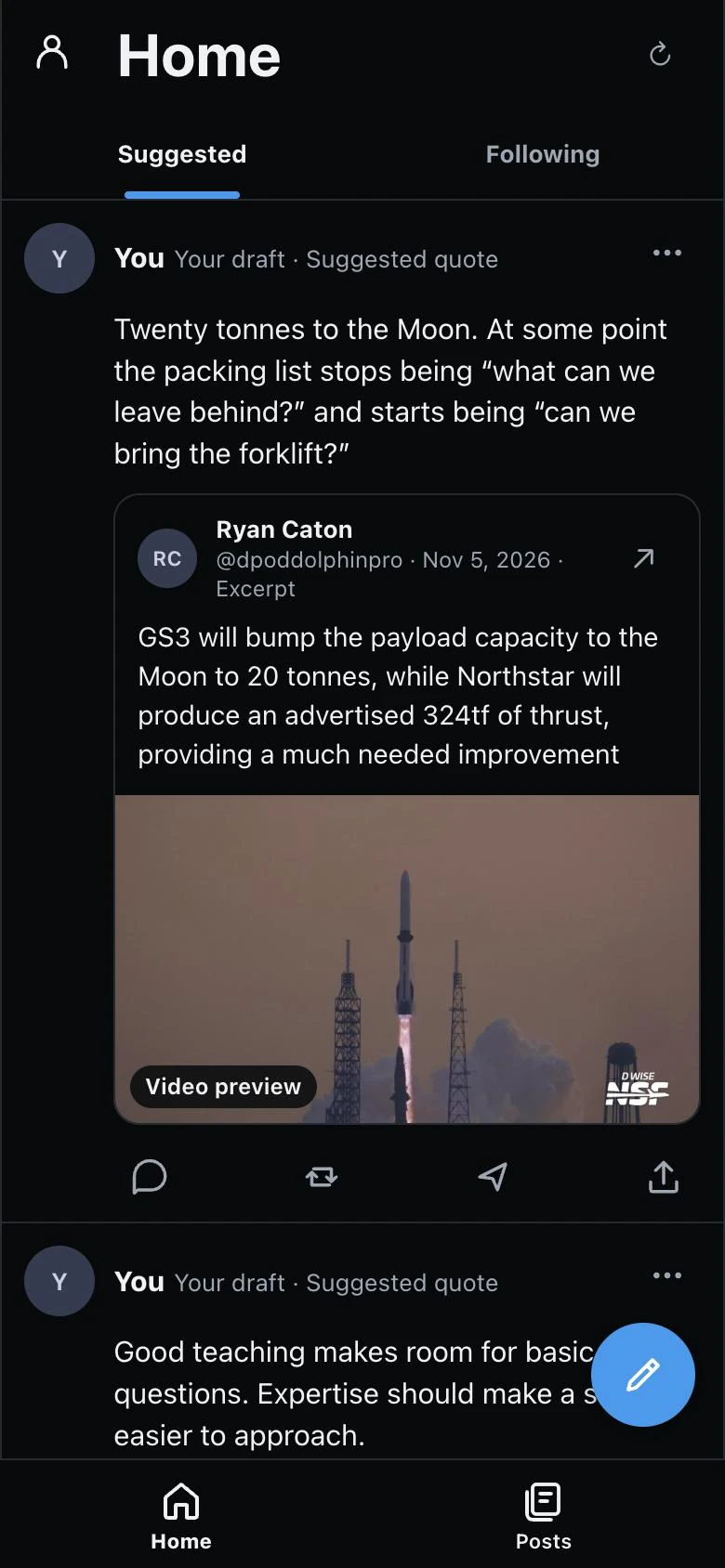
- Work on a draft. Pick a suggested response. Change the words, keep it or toss it.
- Post it. Choose Continue in X, review it there and send it yourself.
“But who writes the content?”
The app gives you the first draft. You write the last one.
The original posts are by people on X, with their names and source links attached. The response options in the starter feed are AI-assisted drafts prepared ahead of time. Liking a post doesn’t generate a fresh draft on the spot.
A blank box is hard. “Write something smart” feels like homework. A draft is easy, because everybody knows what they wouldn’t say. Fix that part and now you’ve got something.
Perfect spelling isn’t the same thing as sounding like you. I’d rather you leave a little of yourself in there, even if it’s a bit lumpy. The point isn’t to sound like a machine. It’s to get from “huh” to “here’s my take” before you scroll past it.
Who is it for?
Somebody who has things to say and never quite says them. Most of us know one. A lot of us are one.
Maybe small businesses too. A farm, a bakery, a contractor on a phone between jobs. My hunch is that a draft gives you a better place to start than “I should post something.” That still needs testing with people doing the work.
What it doesn’t do.
- It doesn’t post for you. You review and send on X yourself.
- ChatGPT sign-in doesn’t share your private chats or memories. It lets you save drafts and preferences.
- It doesn’t promise followers or money. We haven’t shown that. The first test is smaller: did you leave with one thing worth saying?
Try it.
It’s free while it’s early. No card or sign-in needed to try it. Open the feed, find a post that gets you and see whether editing a draft gets you closer to saying something.
Then tell me what confused you. That’s how this article happened. For a look at the app, read the walkthrough. There’s also why we made it.